Ward MediaWARD MEDIA

New · Media Day + Graphic Builder

Turn your Media Day photos into graphics.

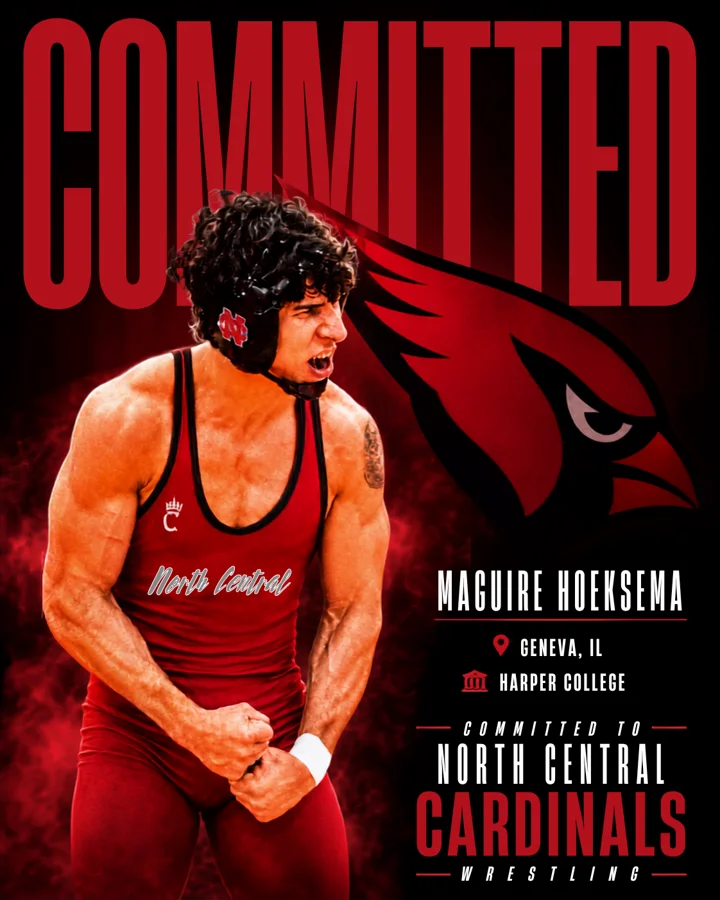
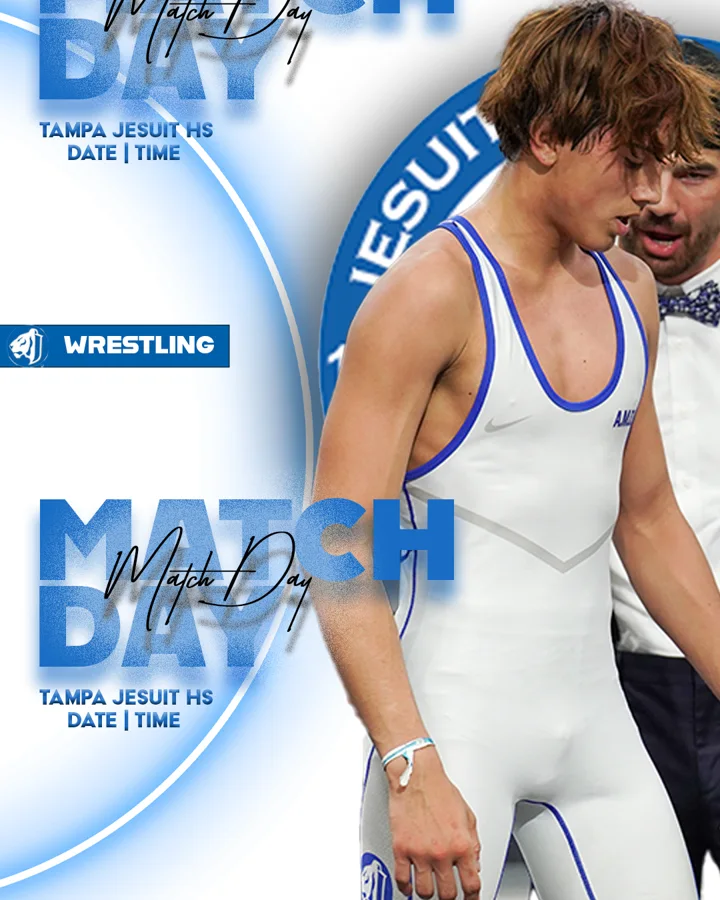
Pick your favorite shot from your team's Media Day and drop it into a Senior Night, Match Day, Committed or 100 Wins design in your school colors. It takes a few minutes, right from your phone or computer.

What you can make

Designs built for your season

Every design recolors itself to match your school logo. Download it for social media, or order it printed as a poster or yard sign.
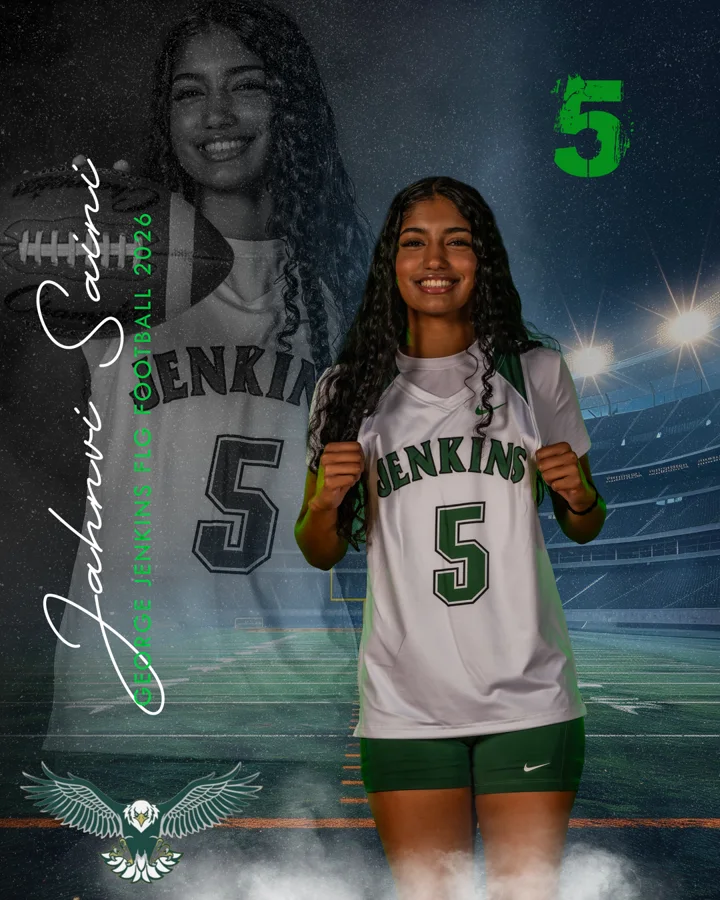
Senior Night graphic example
Senior Night
Match Day graphic example
Match Day
Committed graphic example
Committed & Signing Day
100 Wins graphic example
Wins & milestones

Before you start

Three quick things

1

Make your free account

Go to wardsportsmedia.com/account and create a free Ward Media account. It lets you save your favorite photos and keeps your graphic credits on any device. You can make a graphic without one, too.

2

Find your Media Day gallery

Open Galleries, then the Media Day folder, then your school. If Ward Media delivered the gallery to your account, it's also under My deliveries.

3

Have your school logo handy

A PNG with a transparent background works best. The design pulls its colors from your logo automatically.

Way 1

Start from your Media Day photo

Best when you're already looking through the gallery and see the shot you want.

  1. Open your Media Day gallery. Galleries → Media Day → your school. (Or My deliveries → Open gallery on your account.)
  2. Tap 🎨 Turn your photo into a Graphic Memory at the top of the gallery and click the photo you want — or open any photo full size and tap 🎨 Make a Graphic Memory.
  3. The Graphic Builder opens with your photo already loaded and says "Photo loaded — pick a template."
  4. Pick a template: Senior Night, Match Day, Committed, 100 Wins and more.
  5. Add your details. Upload your school logo, then type the athlete's name, school, sport, class year and number or weight class. Drag the photo to move it, and use the slider to resize it.
  6. Preview it, then download or print. Tap Looks good — next, choose a size, and Download PNG, Share or Order print.
Want a video instead? Tap 🎬 Turn your photos into a reel at the top of the gallery, tick the photos you want, and the Reel Builder turns them into a music video for social media.
Collect your favorites first. While you browse, tap ♡ Save to my dashboard on every photo you like (you'll need to be signed in). Later, open your account → Saved photos, tap a photo and choose Make graphic.

Way 2

Start in the Graphic Builder

Best when you already know which design you want and need to pull in a Media Day photo.

  1. Open the Graphic Builder and tap Create a Graphic.
  2. Pick a template and upload your school logo.
  3. Under Add an athlete photo, tap Choose from Ward Media galleries.
  4. Find your Media Day. Open the Media Day folder, then your school, or type your school's name in the search box. If you're signed in, ★ My saved photos sits at the top of the list.
  5. Click a photo and it drops straight into your design.
  6. Finish your details, preview, and download or order your print.
Want a gym or team shot behind the athlete? Under Change the background, tap Choose from Ward Media galleries and pick any photo from your Media Day.

Make it look pro

Tips for a great graphic

Remove the background

Select the athlete photo and tap Remove background. It works best on plain studio backdrops; slide Tolerance until the edges look clean. For a busy background, upload a cut-out PNG instead.

Let your logo set the colors

Upload your school logo and the whole design matches it. Want to tweak it? Change Primary, Accent or Base, or tap Reset to logo.

One graphic, every size

Once a graphic is unlocked, download it as a social post, story, yard sign or poster at no extra cost.

Add a second athlete

Some designs have room for a second photo or a "ghost" duplicate of the athlete — great for senior and signing graphics.

Print it

Tap Order print and pay by card. Your print-ready file goes straight to the sign shop, and you get a receipt by email.

Using a photo you downloaded?

Any photo works. Tap ⤓ Download in the gallery, then upload it in the Graphic Builder under Add an athlete photo.

Pricing

Try every template free

The preview carries a watermark. A credit is only used when you download or email a finished graphic, and after that it's unlocked for good.

1 Graphic

$20
  • One finished graphic, no watermark
  • Every size you need
  • Download it again any time for free
Best value

10 Graphics

$150$15 each
  • Mix templates, athletes and events all season
  • Credits never expire
  • Work on any device with your code

Program account

$59/ month
  • Unlimited graphics for your whole coaching staff
  • Designs rebuilt with your logo and colors
  • One Reel Builder template included
Program accounts →

Changing the name, photo, details or template makes a new graphic, which uses another credit. Want something one of a kind? A custom graphic designed by Ward Media from your photos is $150 — contact us.

Questions

Quick answers

I can't find my Media Day gallery.

Check Galleries → Media Day and search for your school. If it was delivered to your account, open My deliveries. Still missing? Call or text 407-414-1137 and we'll send you the link.

Do I need an account?

Not to make a graphic. You need a free account to save photos to your dashboard, and credits you buy while signed in are kept on your account so they work on any device.

Can I do this on my phone?

Yes. Everything works on a phone, tablet or computer.

I already have a credit or program code.

In the Graphic Builder, tap Enter it under pricing (or Program login for a program code) and paste your code. Program staff get their program's designs with no watermark.

My download still has a watermark.

The watermark comes off when you unlock the graphic with a credit or a program code. Once it's unlocked, you can download it again in any size for free.

Ready to make yours?

Open your Media Day gallery or jump straight into the builder.

Questions? Call or text 407-414-1137 or email dan@wardwrestling.com.