
Get started in 5 minutes
MatWard Stats is free for coaches, parents and athletes. Pick your path and follow the steps — screenshots show exactly what you’ll see.
Everyone uses the same free MatWard account — the one fans use to follow wrestlers. Already have one? Just sign in. A coach who is also a parent needs only one account.
Bouts wrestled at MatWard tournaments and duals count on their own — nobody has to record those.
Put your team on MatWard
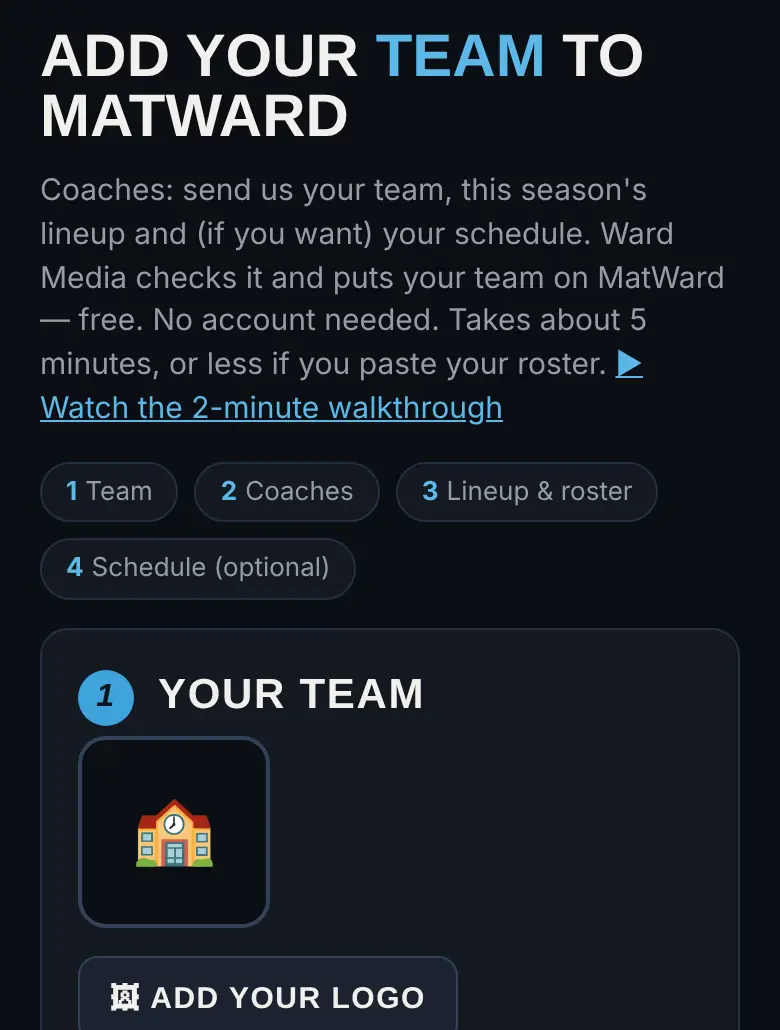
Send us your team Free
Fill in the Add your team form: your school or club, coaches, lineup and schedule. Paste your roster straight from Trackwrestling, USA Bracketing, Excel or a PDF. No account needed — about 5 minutes.
Ward Media puts your team page live, usually within a day, and emails you the link.
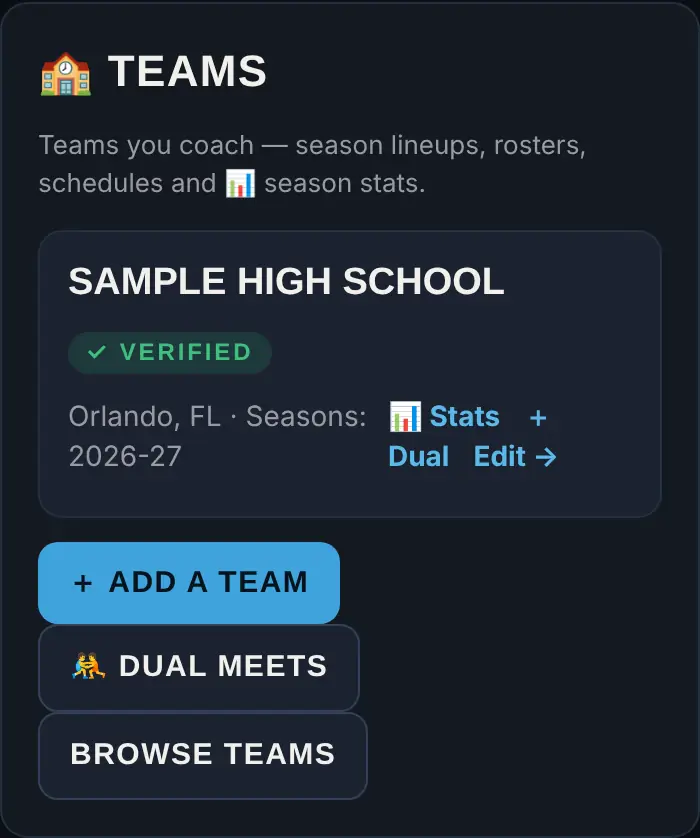
Rather do it yourself? Create your free account (step 2) first, then go to My MatWard → + Add a team. Fill in the team, weights, roster, lineup and schedule on one page.
Create your free MatWard account
Use the same email you put on the team form. When your team goes live it shows up in My MatWard under 🏫 Teams, with 📊 Stats next to it.
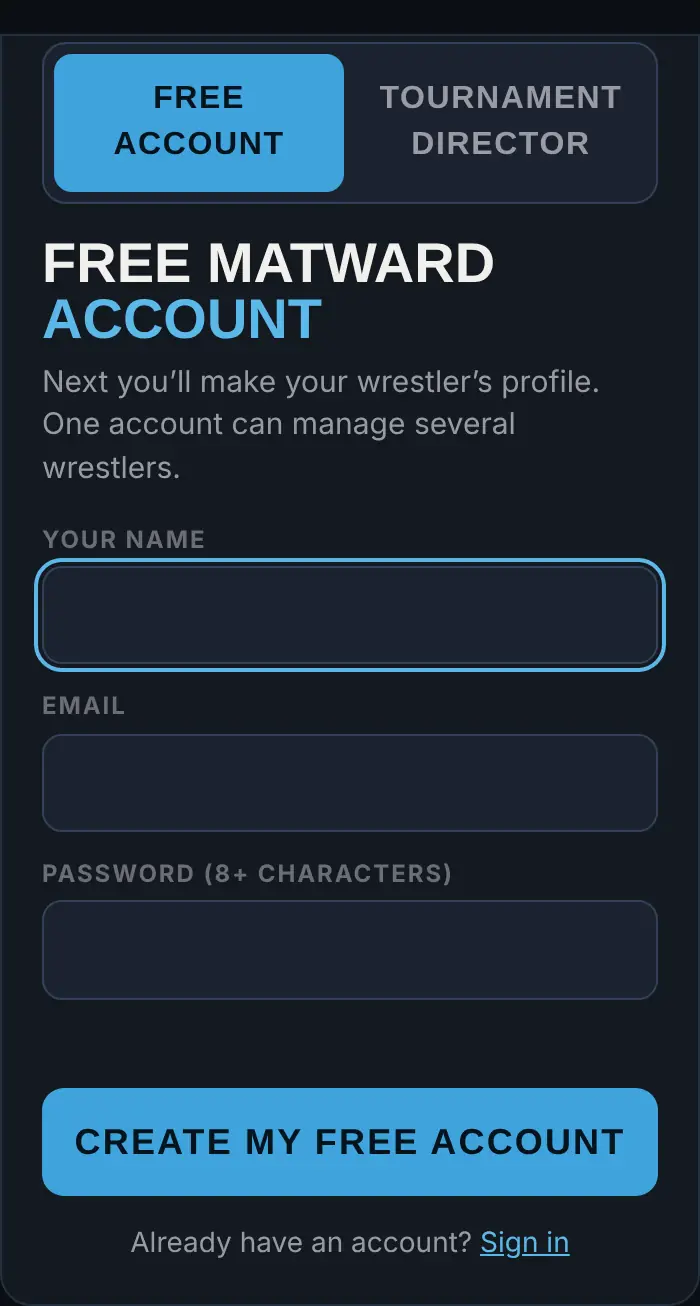
On the sign-up screen keep Free account selected (not Tournament director), then enter your name, email and a password.
Send families this page
Each family makes their wrestler’s profile and sends it to you. Copy this into your team group text or email:
Our team is on MatWard Stats. Make a free profile for your wrestler and link it to our team — it takes about 5 minutes: wardsportsmedia.com/start (tap “I’m a parent or athlete”). At meets, open the profile and tap 🎥 Record a match so it comes to me for our team stats.
Link profiles and count matches
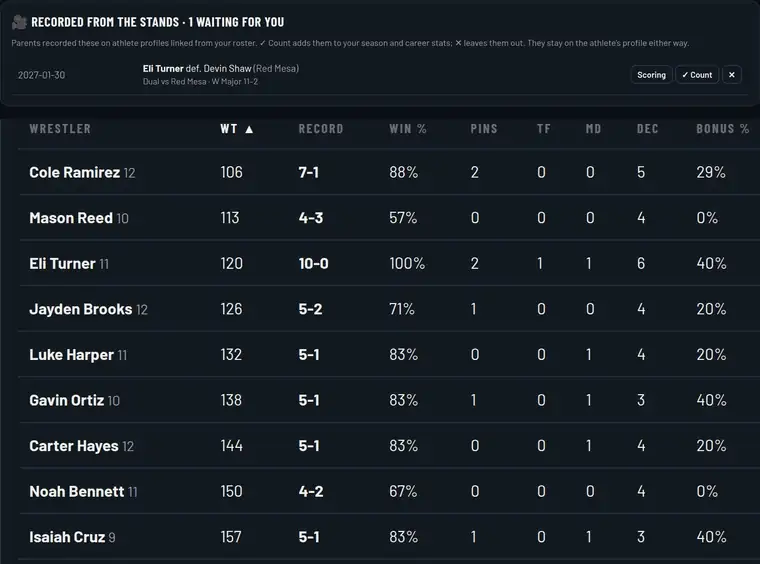
Open your team page and tap the 📊 Stats tab (or 📊 Stats next to your team in My MatWard).
- 🔗 Link requests — tap ✓ Link to put a wrestler’s profile on your roster. You also get an email for each request. Free
- Recorded for you — matches parents recorded. ▶ Watch it, then ✓ Count to add it to your season and career stats, or ✕ to leave it out. Coach pass
Add career records once
On the 📊 Stats tab switch to Career, type each wrestler’s wins, losses and pins from before MatWard (Trackwrestling, your scorebook), then tap Save career records. MatWard adds everything after that — career totals, milestones and the printable 🖨 stat sheet.
Optional: the coach pass $149 / season
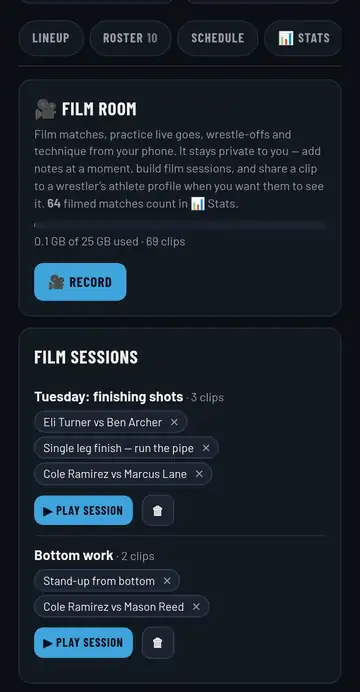
Your own 🎥 film room on the team page (private to you), notes at the exact moment, film sessions for practice, clips shared to profiles — and ✓ Count for parent-recorded matches.
$149 per team per season or $289 for 12 months. Get it in My MatWard → MatWard Stats passes.
Build the profile from the stands
Create your free MatWard account Free
Parents make the account for their wrestler. Athletes 18 or older can make their own. One account can manage several wrestlers.
Keep Free account selected, enter your name, email and a password — you go straight to making the profile.
Make your wrestler’s profile
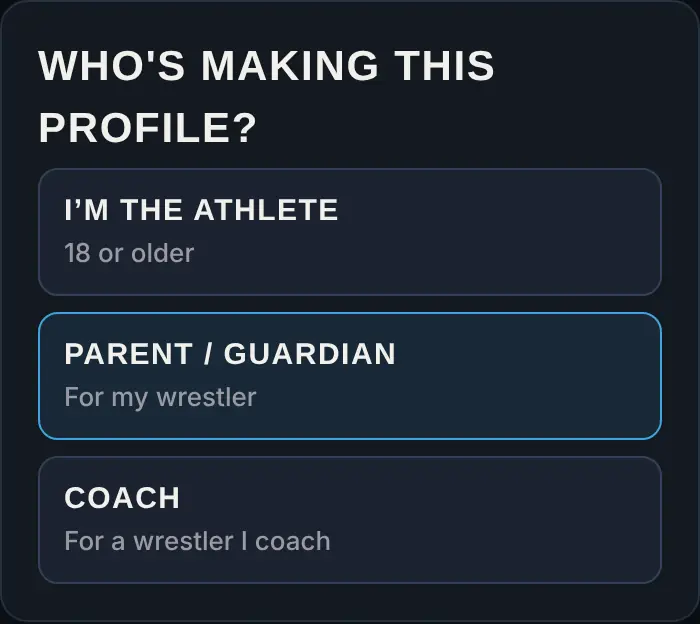
- Pick who’s making it: I’m the athlete (18+), Parent / guardian or Coach.
- Add name, school, club, weight and a photo.
- Choose Who can see it — public, unlisted (only people with the link) or private.
- Tap Save profile.
Wrestled at a MatWard tournament already? Link those results on the profile and they fill in on their own.
Send it to your coach
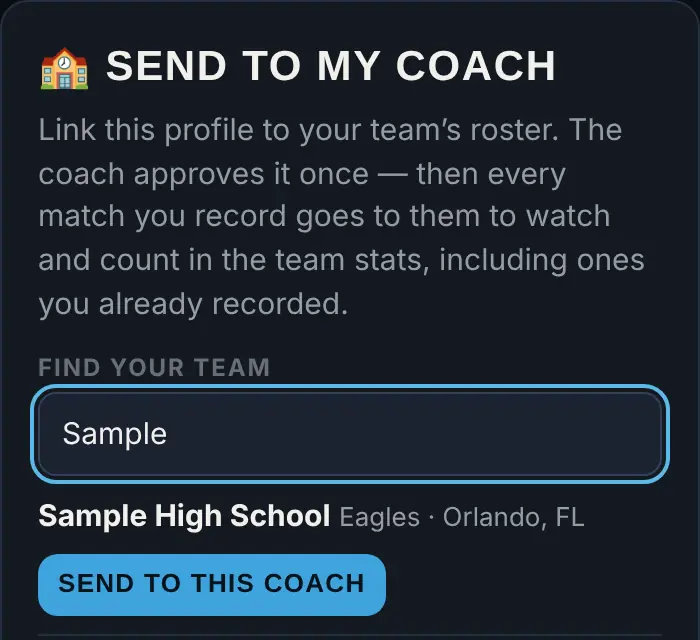
On the profile’s edit page find 🏫 Send to my coach, type your team or school name and tap Send to this coach.
It shows ⏳ Waiting for the coach to approve until the coach taps ✓ Link, then ✓ Linked. Every match you record goes to the coach — including ones you recorded before.
Team not on MatWard yet? Send your coach wardsportsmedia.com/start — it’s free for them too.
Record a match
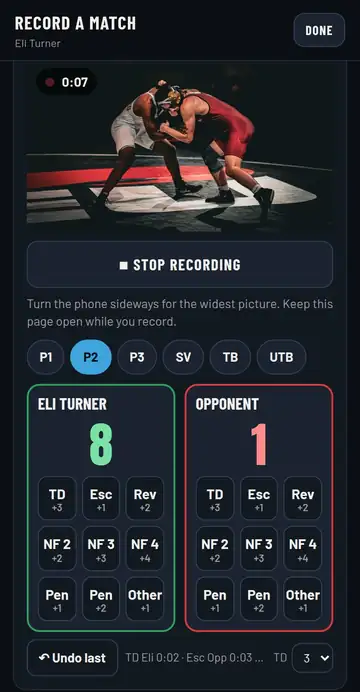
At the meet open the profile and tap 🎥 Record a match. Tap TD · Esc · Rev · NF as it happens — every score is marked on the video. Pick the result at the end and save.
Keeping score without video is always free. Recording video needs Parent video: $9.99 a month, $25 for the season or $99 for the year — it covers every profile you manage. Get it in My MatWard → MatWard Stats passes.
Bad signal at the gym? The video stays on your phone and uploads in small pieces — tap Finish uploading later if it gets cut off.
Watch the profile build itself
Record, pins, takedowns for and against, escapes, near falls and first-takedown % add up on their own. ▶ Watch jumps to every score. Once the coach counts a match it’s in the team stats and the career record too.
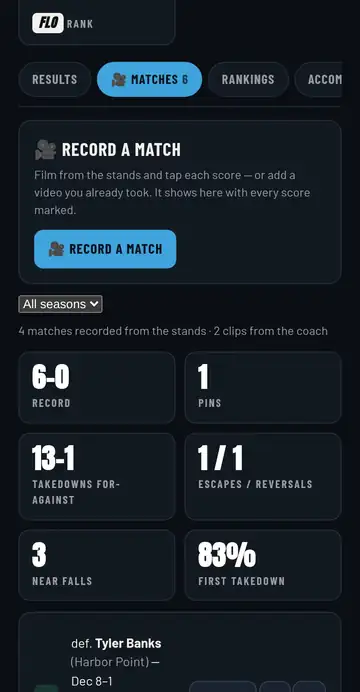
Your season, counted.
Questions? Text or email Ward Media from the support page.